When is specialty coffee in season?
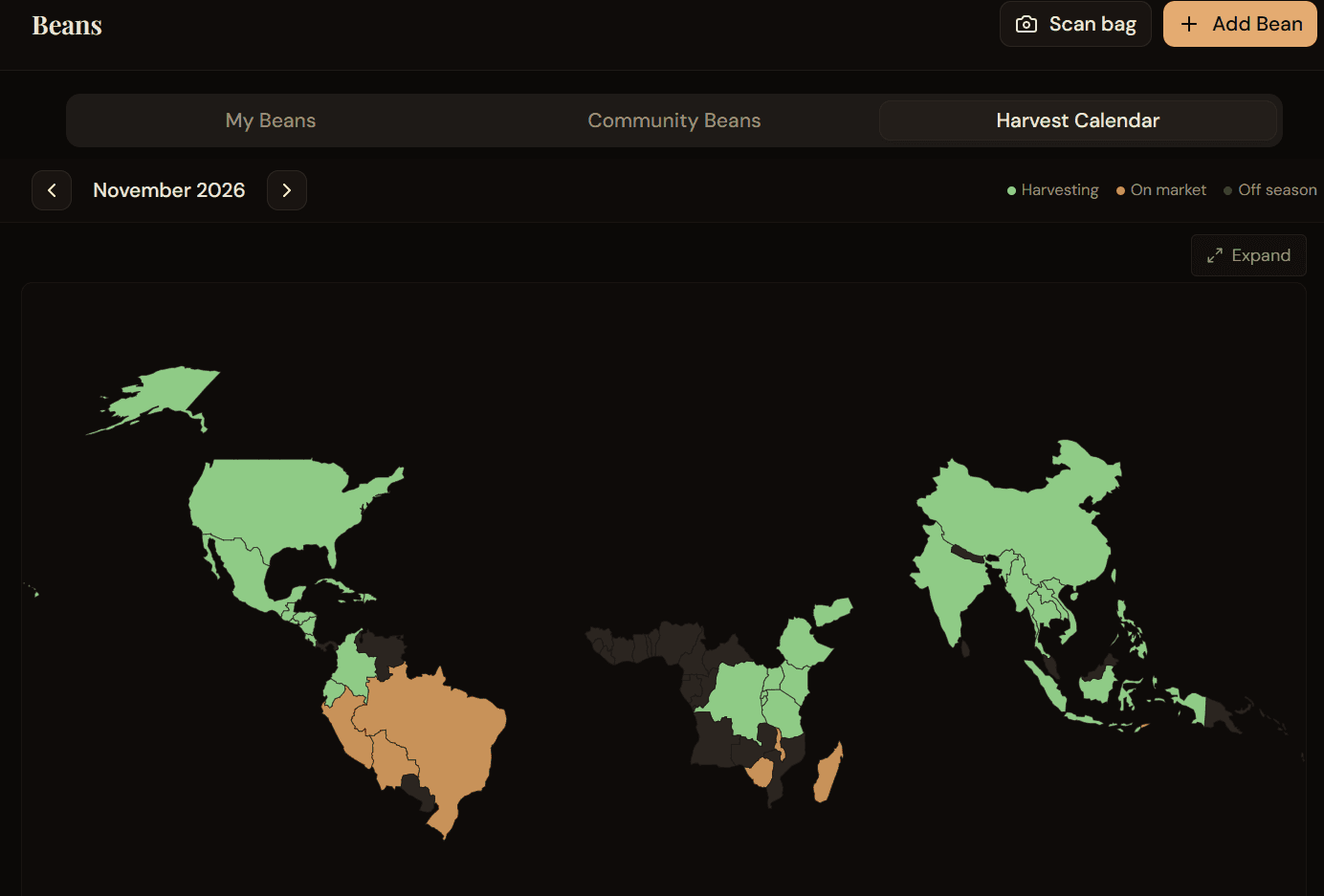
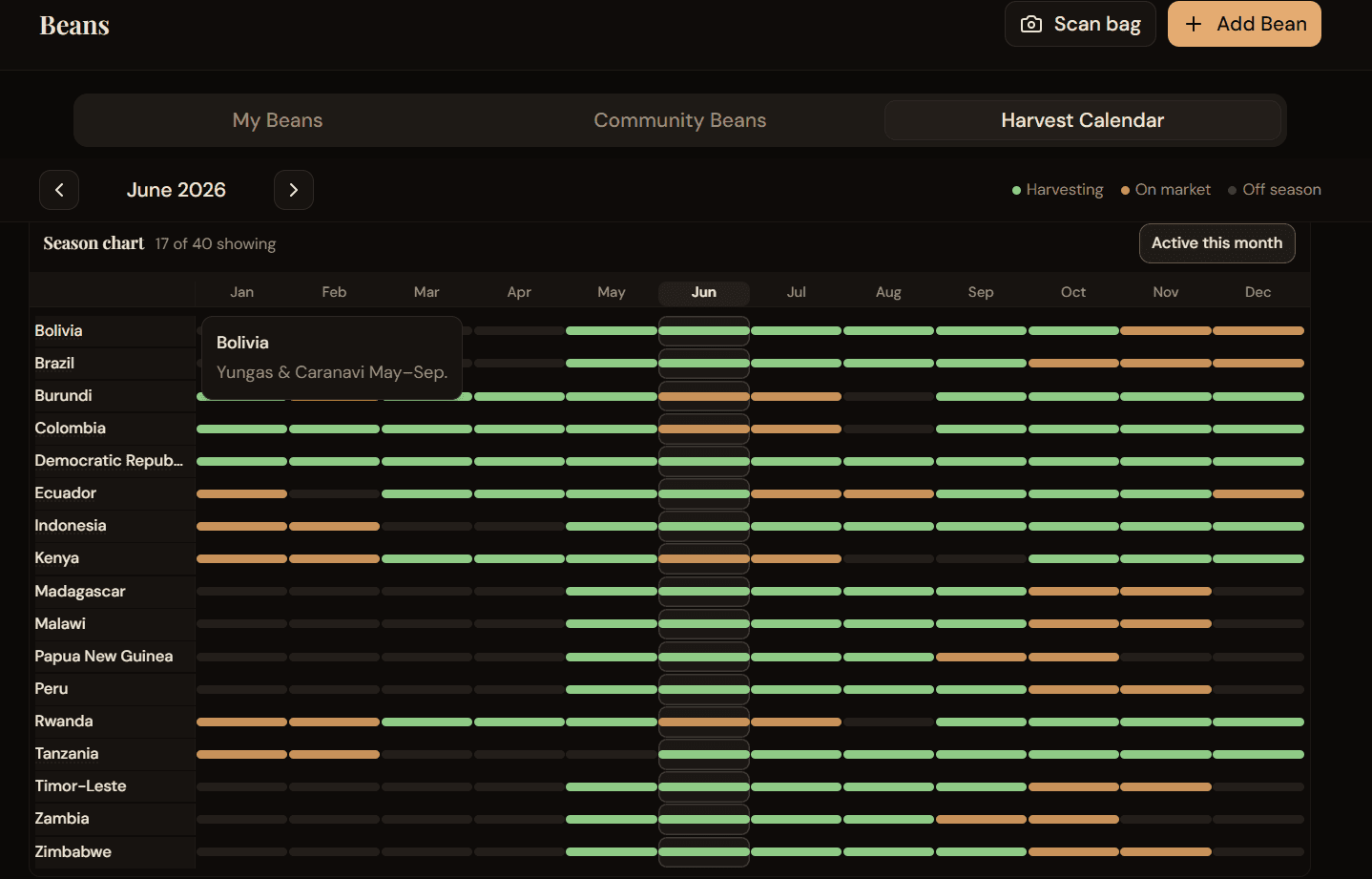
Harvest and arrival times vary by origin. Coffee Rambler's Harvest Calendar shows typical harvesting, on-market, and off-season windows for 40 origins — on a world map and a year-long season chart. Jump to FAQ.
The three season phases
Harvesting: Coffee is typically being picked in that origin (shown in green on the map and chart).
On market: Harvest has finished for that crop; fresh lots typically reach roasters now (bronze).
Off season: That month falls outside typical harvest or arrival windows (muted on the map).
Demo examples
Description
The Harvest Calendar uses static reference data with no extra loading. Windows are approximate at country level: harvest is typical picking time; on market is when fresh lots commonly reach roasters after processing and shipping. What's on your local shelf still depends on roaster buying and where you live.
How to use the harvest calendar
- Open Beans → Harvest Calendar. The view defaults to the current month.
- Use the month arrows to move through the year and watch the map update.
- Tap a country on the map to see its phase and regional notes (hover on desktop).
- Scroll to the season chart for a full-year view per origin; tap a month column to jump.
- Toggle "Active this month" to hide off-season origins; tap again to show all.
- Tap an underlined country name on the chart to read regional notes (e.g. fly crop or highland timing).
Try this in Coffee Rambler AI
Sign in and open Beans, then select Harvest Calendar to explore the map and season chart. Start with this month, then jump to when you plan to buy or follow a fresh crop.
FAQ
- What does Harvesting mean?
- That origin is typically being picked during that month — an approximate country-level window.
- What does On market mean?
- Harvest has finished for that crop; after processing and shipping, fresh lots typically reach roasters in this window.
- Why can beans still be on sale during harvest months?
- Harvest and on-market windows can overlap. If both apply, we show Harvesting — but earlier picks from the same season may still be for sale at roasters.
- Is this calendar exact for every farm?
- No. These are approximate country-level windows. Region, processing, and shipping all shift real arrival times.
- How many origins are included?
- The calendar currently covers 40 specialty coffee origins.
- Does it open on the current month?
- Yes. When you open the Harvest Calendar, it defaults to the current month based on your device date.
- What does "Active this month" do?
- It filters the season chart to origins harvesting or on market for the selected month. Tap again to show all origins.
- Can I click a month on the season chart?
- Yes. Tap a month in the chart header or any row to update the month scrubber and map together.
- Where do I find it in the app?
- After signing in, open Beans and select the Harvest Calendar tab (below My Beans and Community Beans).